Comparisons
Travel App vs Spreadsheet: Which One Actually Plans the Trip
A spreadsheet beats every travel app at storing a trip. The trouble is that storing it was never the part that took the weekend.
The short answer
- A spreadsheet is a record of decisions already made, so it will hold eleven stops on a Tuesday without ever mentioning that eleven stops do not fit.
- Spreadsheets win on control, cost and durability: any column you want, no subscription, and one file that opens with no signal and outlives whichever app you would have used instead.
- The work a spreadsheet saves is typing, and the work that takes a weekend is deciding what goes where in what order.
- For one city over two to four days, the deciding is most of the job, which is the narrow case where an app earns its place over a template.
- Keep the spreadsheet for money and confirmation numbers. Owlio does neither, and a shared sheet is still better for splitting costs across a group.
A spreadsheet is better than a travel app at almost everything except the part that takes the time. It will hold the flight numbers, the confirmation codes and a costs column that adds itself up, and it will open on a phone in a country where the data roaming never worked. What it will not do is tell you that Tuesday is too full.
An itinerary here means an ordered, timed list of stops for one day. Not a list of places you might go. A spreadsheet is excellent at the list and has no opinion whatsoever about the order, because every row in it is a decision you had already made before you started typing.
That distinction outlasts every feature comparison anyone can run, and it is the one that decides which tool belongs on a given trip.
A spreadsheet records decisions. It does not make them. Everything below follows from that, including the cases where the spreadsheet is still the right answer.
What does a spreadsheet do better than a travel app?
Control, cost, durability and money. Those are real advantages, and most app comparisons hurry past them because the people writing them sell apps, this site included.
The strongest version of the pro-spreadsheet case is worth reading in full: a Travel + Leisure writer who planned an entire holiday on an Excel template argued it beat every travel app tried, on the grounds that a standalone file keeps everything in one place with no subscription, and that apps get a lot less useful abroad without cell service. The piece concedes nothing to apps, which is a weakness in it, but none of the specific points are wrong.
Where the spreadsheet genuinely wins:
- Any column you want. Emergency numbers, a per-person cost split, the code for the lockbox, a note about which parent has the passports. No app will ever ship the column your trip happens to need.
- Arithmetic. A budget that recalculates when one flight gets more expensive is a formula, and formulas are the one thing spreadsheets do that no itinerary app matches.
- It still opens in five years. Apps get discontinued, change owners and move features behind a tier. A `.xlsx` file on a phone does not.
- Offline, properly. Google Sheets needs Chrome or Edge plus the Google Docs Offline extension on a computer, and on iPhone or Android it is per-file: open the Sheets app, tap the three-dot menu, choose Make available offline. Set up once, it works with the aeroplane mode switch on.
- Nobody has to download anything. Send a link and the person who refuses to install a fourth travel app can still read the plan.
Why a spreadsheet cannot tell you a day is too full
Because a cell holds text and nothing else. Type Colosseum, Vatican Museums, Trastevere into one Tuesday and the sheet accepts it, formats it neatly, and returns no warning, because it has no idea that the first two are half-day sights on opposite banks of the Tiber with two unconnected ticket queues. The 3 days in Rome guide is built entirely around that constraint. The spreadsheet cannot be, at any level of skill with spreadsheets.
The same blindness applies to booking windows. Paris releases Eiffel Tower lift tickets around sixty days ahead, wants roughly a week for Sainte-Chapelle, and will not take a Notre-Dame reservation until about two days before. Those three windows decide the order of a Paris trip, and the 3 days in Paris guide builds the days backwards from them. A spreadsheet column called Booked? records the outcome of that thinking. It contributes none of it.
This is not a criticism of spreadsheets. It is what a spreadsheet is. The question is only whether the deciding or the storing is the bigger job on the trip in front of you.
Spreadsheet, planner app, or Owlio
| Spreadsheet | TripIt or Wanderlog | Owlio | |
|---|---|---|---|
| Where the day's order comes from | You, before you open the file | You. Wanderlog can optimise the route between places you have already chosen | The app, from the city, your flight times and a pace setting |
| Bookings out of your inbox | Typed in by hand | TripIt assembles forwarded confirmation emails; Wanderlog imports flight and hotel reservations | Not a feature |
| Tells you a day is overloaded | No | No. Route optimisation shortens the walking between your stops; it never removes one | That is what the pace setting does |
| Usable with no signal | Yes, once the file is cached | Wanderlog advertises offline access | Not something Owlio advertises |
| Money and confirmation numbers | Formulas, and any column you invent | Wanderlog does expense tracking and splitting | Neither. Keep the sheet |
| Cost, as of September 2026 | Free with a Google account | Both have free tiers; TripIt Pro is $49/year on TripIt's own pricing page | Free to try, and no account needed |
When is a spreadsheet the right answer?
When the trip is long, multi-stop, shared, or mostly a budgeting problem. A three-week route through six countries has more logistics than ordering, and logistics is the spreadsheet's home ground. Six people splitting a villa need a payment tracker far more than they need a walking route.
It is also the right answer for anyone who has already built a template they like. A reusable sheet refined over four trips is worth more than whatever an app would have suggested, and switching costs a weekend to save a weekend.
When is a travel app the right answer?
When the trip is one city, a few days long, and the hard part is what to see and in what order. That is the case where the sheet is nearly empty at the start and filling it is the entire task.
Which app depends on which job is hurting. TripIt is the best of the three at reading a booking: forward the confirmations and it builds one consolidated itinerary, with flight alerts and the rest of the Pro features on top. Nothing Owlio does with travel documents comes close to that, and it is not trying to. Wanderlog is the one to pick for a group, since it does real-time collaborative editing and expense splitting, and Owlio has neither. Check the current free and Pro split directly on Wanderlog's site before relying on any particular feature, because the third-party listings of it disagree with each other.
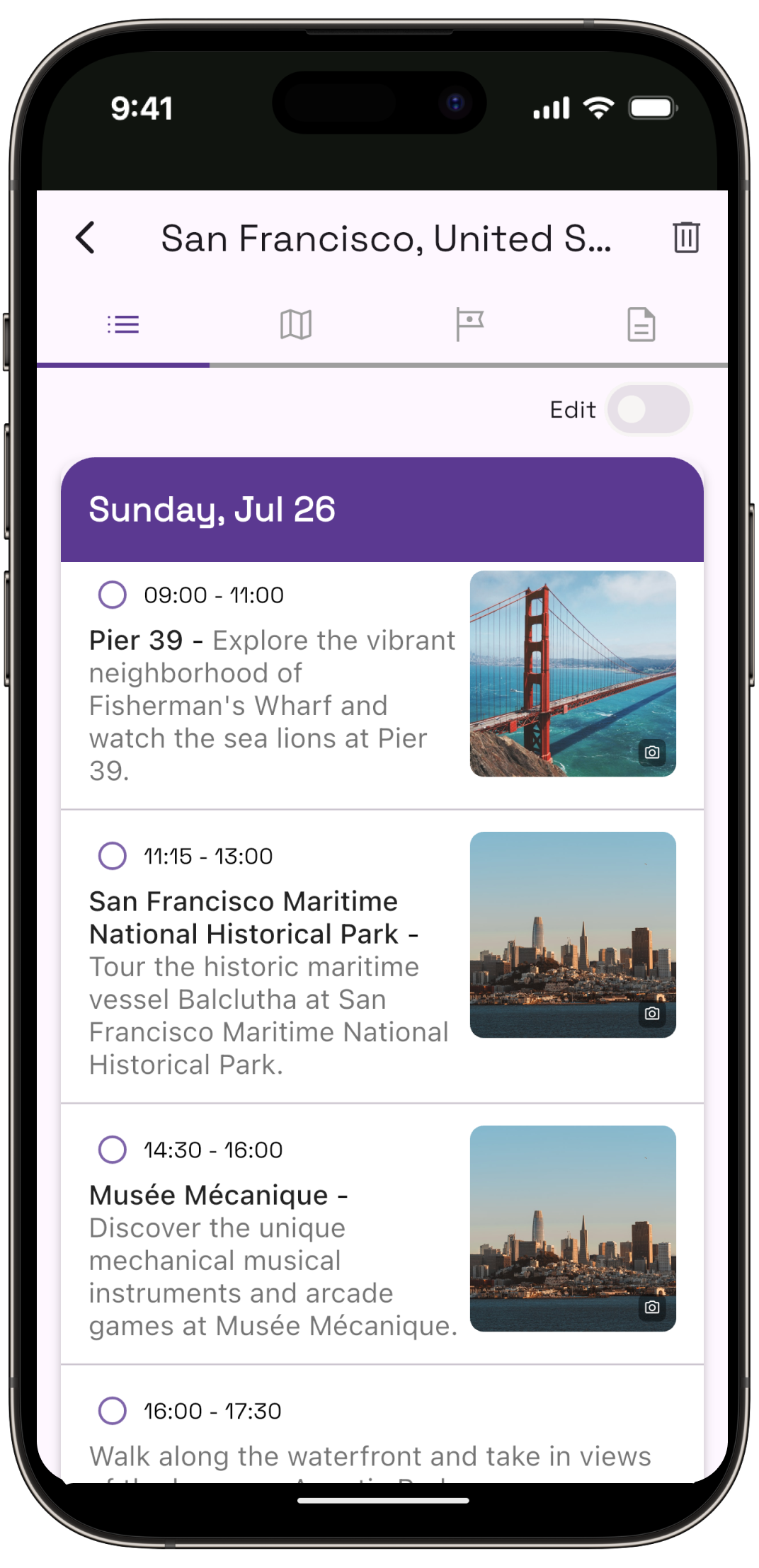
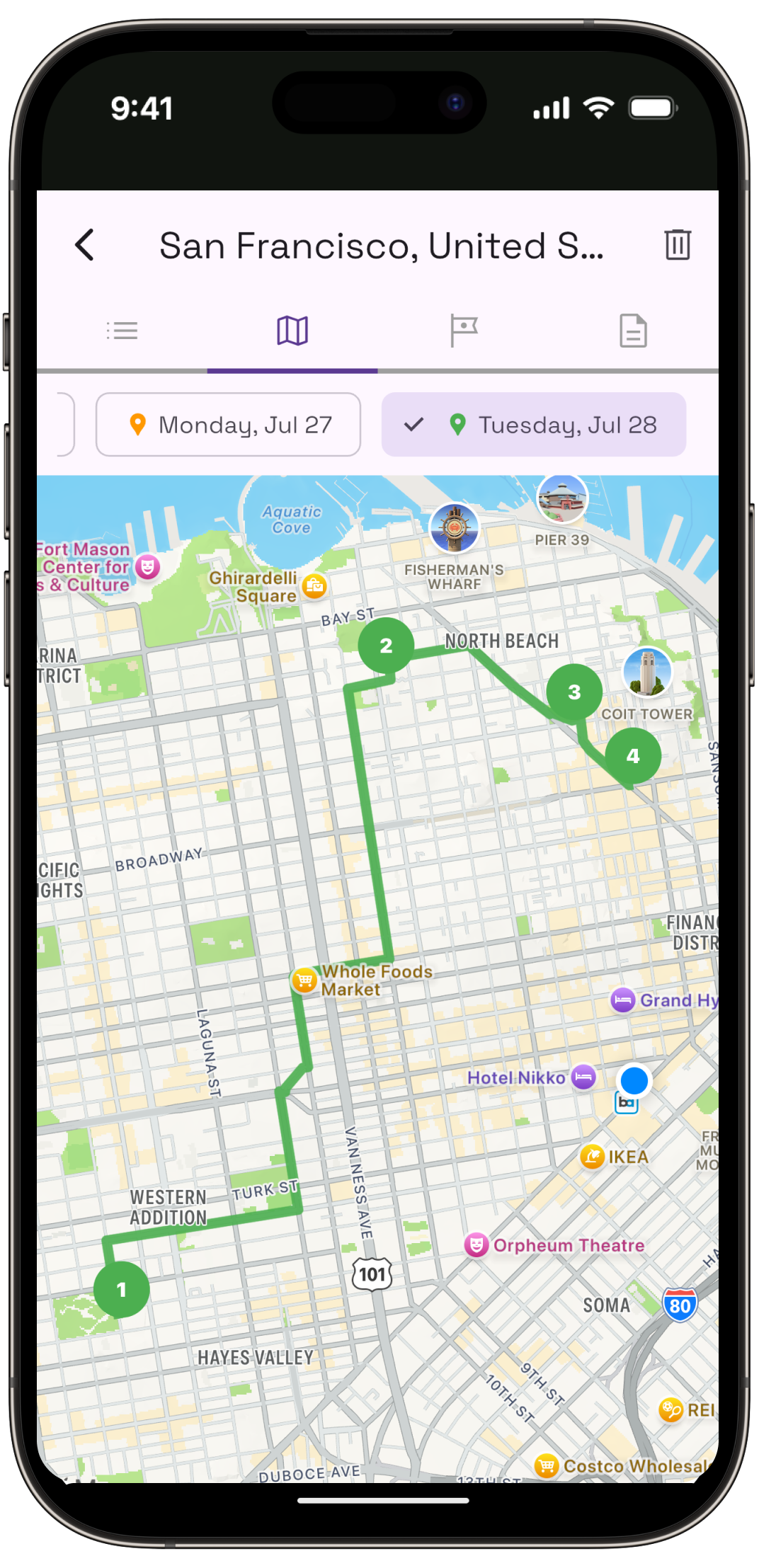
Owlio does the narrow thing this article is about. Give it a city, the times the flight lands and leaves, and a pace, and it returns each day as an ordered set of stops on a map that you can then reorder. The cost of that design is real: it plans one city per trip, keeps no budget, tracks no expenses, and a four-city route through ten days is the wrong job for it. Somebody doing that trip should open a spreadsheet.
The honest answer is usually both
Most people who move a city trip into an app keep a sheet anyway, and they are right to. The two tools are not competing for the same job once the job is described properly.
The app decides the order of the days. The sheet holds the money, the confirmation numbers, the passport details and the column for whatever this trip has that no app anticipated. Trying to force either one to do the other half is where the frustration in both directions comes from.
What moving off the spreadsheet costs
A plan you did not write. Some travellers want the research itself, and for them the hours spent building the sheet are the good part of the trip rather than the tax on it. An app that hands over a finished order removes something they wanted.
It also costs portability. A sheet can be printed, emailed to somebody's parents and read on any device made in the last twenty years. An app plan lives in an app.
And no tool fixes a badly shaped trip. Eleven stops still do not fit in a Tuesday. The only difference is whether anything tells you before you are standing outside the Vatican at four in the afternoon with a timed ticket for somewhere else.
Common questions
Is a spreadsheet better than an app for trip planning?
For long, multi-stop or shared trips, yes. A spreadsheet handles budgets, payment splits and arbitrary columns better than any itinerary app. For one city over a few days, the hard part is deciding the order of each day, and a spreadsheet records that decision without helping you make it.
What should a travel itinerary spreadsheet include?
One row per stop, with the day, a rough time, the address, whether it is booked, and the confirmation number. Add a costs column that totals itself. Keep opening hours in their own column, since that is the field most often missing when a plan falls apart on the day.
Does Google Sheets work offline while travelling?
Yes, with setup beforehand. On a computer it needs Chrome or Edge plus the Google Docs Offline extension, enabled from Drive's settings. On iPhone and Android it is per file: open the Sheets app, tap the three-dot menu next to the file and choose Make available offline. Changes sync when you reconnect.
Which is easier for a three-day city trip, an app or a spreadsheet?
An app, because a three-day city trip is almost entirely an ordering problem. The sheet starts empty and every row in it has to be researched first. That is the one trip shape where the app does work you would otherwise do yourself rather than just storing the result.
Do I still need a spreadsheet if I use a travel app?
Usually yes, for money and documents. Owlio keeps no budget and tracks no expenses, and most itinerary apps handle confirmation numbers and per-person cost splits poorly. Let the app own the order of the days and let the sheet own everything numeric. Neither does the other job well.
Which trip planning apps import bookings automatically?
TripIt and Wanderlog both do. TripIt assembles forwarded confirmation emails into one itinerary and is the strongest of the mainstream tools at parsing them. Wanderlog imports flight and hotel reservations by connecting or forwarding email. Owlio does not import bookings, so those stay wherever you keep them.
Let something else order the days
Enter the city, when you land and when you leave. Owlio returns each day as an ordered set of stops on a map. Keep your spreadsheet for the money.